Files stay on your computer Your videos are opened from local storage. The editor does not need an upload step, so source media stays under your control.
Free online video editor that keeps files on your computer.
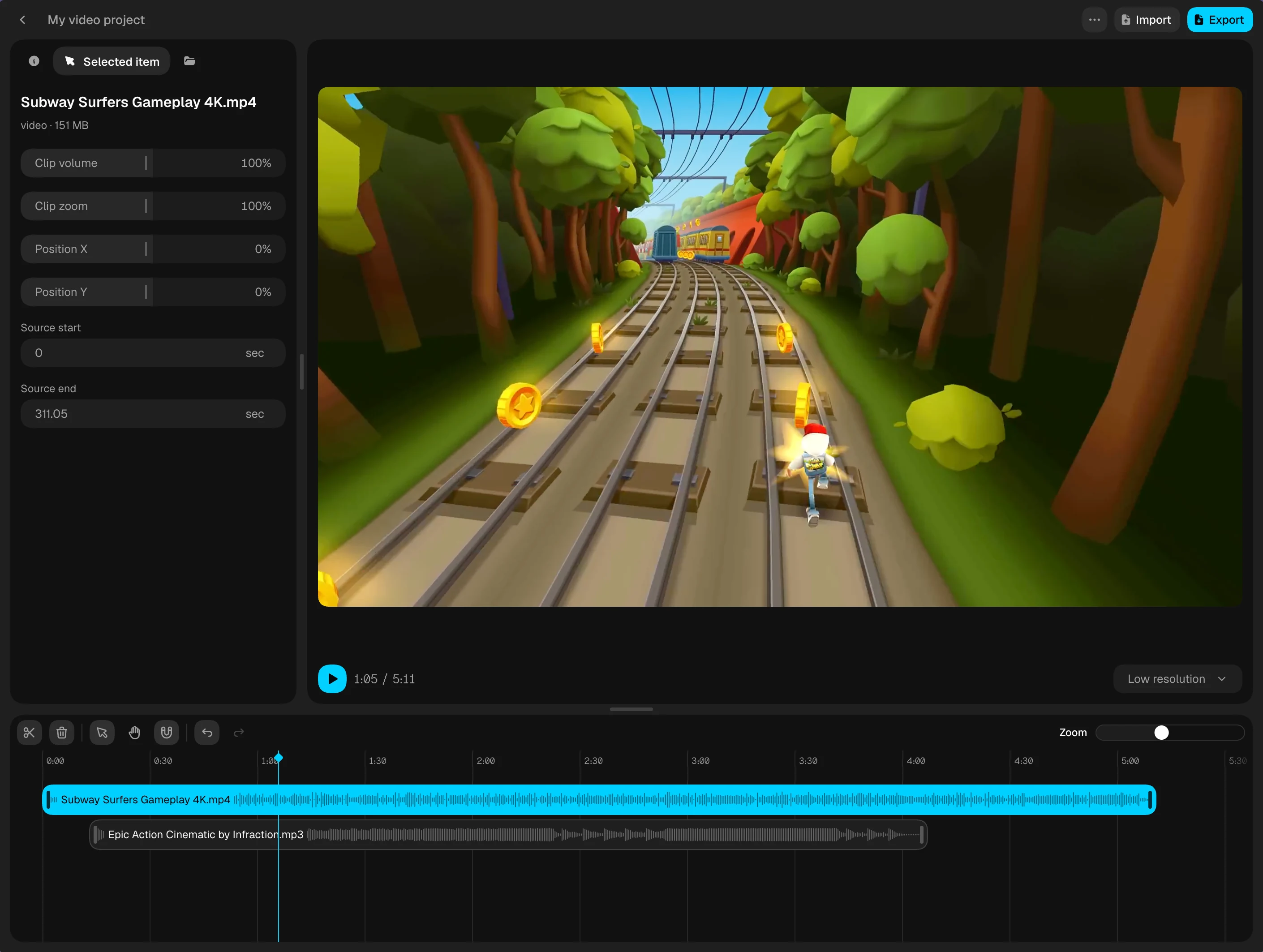
Local Video Editor lets you cut, arrange, preview, and export videos in the browser without uploading your media. It is built for simple private editing: no account, no cloud processing, and no watermark on export.
Works best on Chromium browsers
 Chrome
 Edge
Edge Arc
Arc Dia
Dia Brave
Brave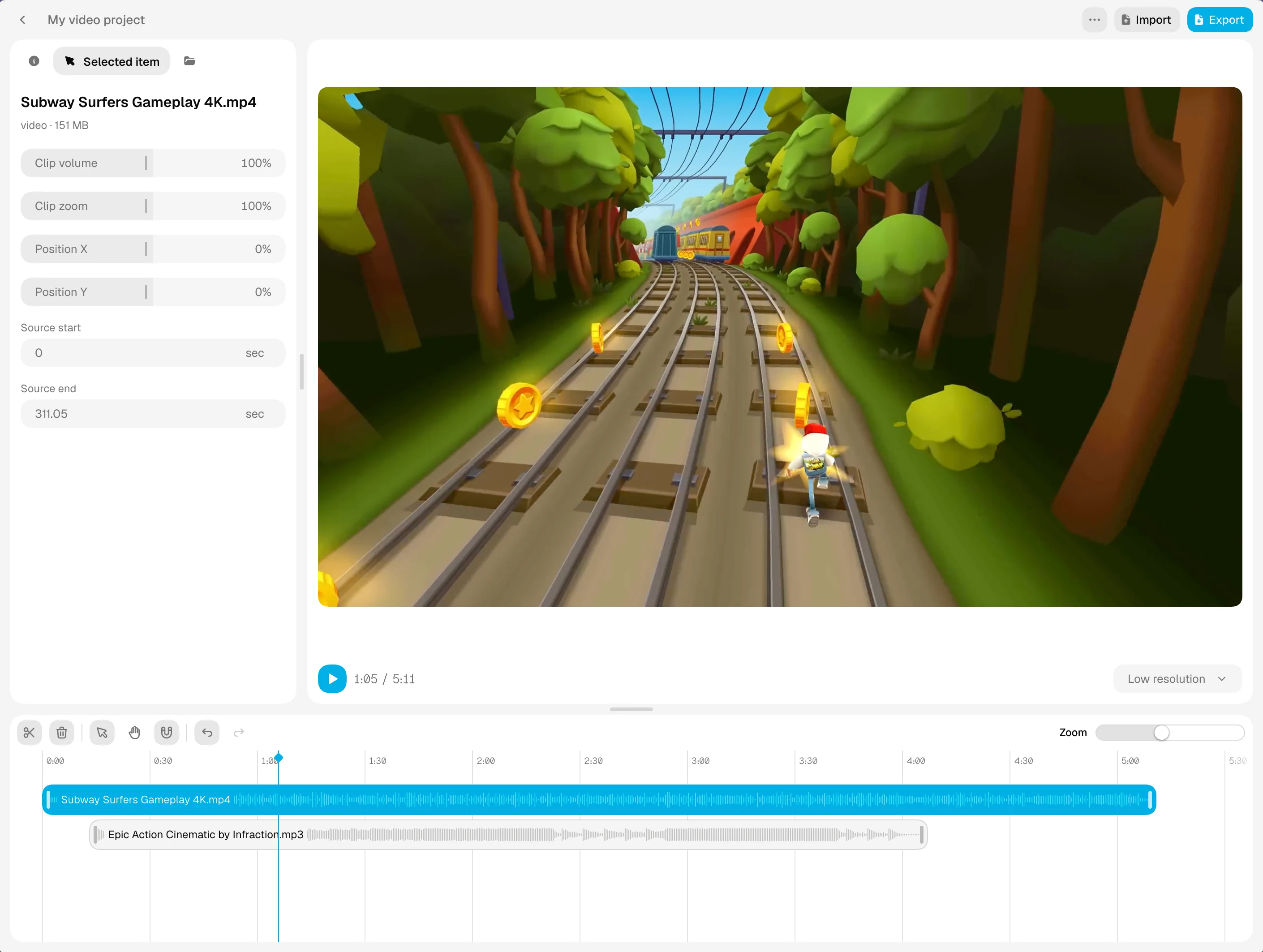
Local-first video editing features
Free exports without a watermark Create projects, trim clips, adjust audio, and export a finished video without adding a watermark.
Offline-first editing After the app is loaded, the editor is designed around local browser storage, local files, and offline-capable workflows.
Local project storage Project metadata, timeline edits, and generated preview data are saved in the browser instead of being tied to a server account.
Private editing for everyday video work
Use it for quick cuts, social clips, screen recordings, gameplay edits, tutorials, or cleaning up a local video before sharing it. The important part is simple: your source files do not need to leave your device just to make an edit.
Import video and audio files from your computer.
Arrange clips on a timeline with local preview playback.
Export a finished file without a watermark.
Questions about editing videos locally
What to know about privacy, supported formats, offline editing, and keeping your projects on your device.
Are my videos uploaded to a server?
No. Local Video Editor processes your source videos and audio on your device, directly in the browser. Your media is not uploaded for editing or export, and you do not need a cloud account to work on a project.
Is the video editor free, with no watermark?
Yes. You can create projects, trim and split clips, arrange video and audio, and export your finished video for free. Exports have no added watermark, and you do not need to sign up or enter payment details.
Which video and audio formats can I use?
The file picker accepts MP4, MOV, M4V, and WebM video, plus MP3, M4A, WAV, OGG, and WebM audio. Playback also depends on the codecs supported by your browser and device. You can export to MP4 or WebM when the required encoders are available.
Can I edit large video files in the browser?
There is no upload size limit because your videos stay on your device. Practical limits depend on available memory, browser storage, video resolution, and your hardware. Long or high-resolution projects can take more time to preview and export.
Can I edit videos offline?
Editing and exporting run locally. Load the app and open your project while online first so the browser can cache the required resources. Offline reopening depends on those resources remaining cached, and your original media files must still be accessible on your device.
Are my video projects saved automatically?
Your project edits are saved automatically in the same browser profile on this device. Projects do not sync to other devices, and clearing site data removes the saved projects. Keep your original media files: you may need to reconnect them if they move or the browser asks for permission again.
Which browsers work best for video editing?
For the best experience, use an up-to-date desktop Chromium browser such as Chrome, Edge, Brave, Arc, or Dia. Media decoding, export codecs, and local file access depend on browser support, so other browsers and devices may have limited functionality.
How can I improve preview playback and export speed?
Lower the preview resolution for smoother editing and close other demanding apps or browser tabs. Export time depends on your device, video duration, resolution, and codec. A lower export resolution can reduce processing time when you do not need the full output size.